DIM Wish List
Table of Contents
Introduction to DIM Wish Lists
How to generate your own Destiny Item Manager (DIM) wish list so that you can chase your dream rolls.
DIM has details about their wish list file format. In short, you can make blocks that look like this:
// Chroma Rush
//notes:Abon (PvE): Going for increased range|tags:pve
dimwishlist:item=1119734784&perks=4090651448,3142289711,1570042021,1890422124,684616255
dimwishlist:item=1119734784&perks=1467527085,3142289711,1570042021,1890422124,684616255

// Borrowed Time
//notes:Abon (PvE): High damage solar SMG, with high recoil. So, I'm aiming for increased stability perks and close-up combat damage-increase perks. Drops only from Gambit!|tags:pve
dimwishlist:item=875848769&perks=1840239774,1885400500,4071163871,4104185692,384158423
dimwishlist:item=875848769&perks=4090651448,1885400500,4071163871,4104185692,384158423
Each line is one particular item with up to one chosen perk per column, and up to one masterwork.
This is particularly illegible, and I don’t expect you to build this by hand. It’s also really slow to build by hand if you are happy with multiple perks in a single column. So, here are the steps to automate building this:
Build Your Own Wish List
-
Create a GitHub repository to house a text file. Here’s mine as an example.
-
Add a new plain text file, called something like
wishlist.txt.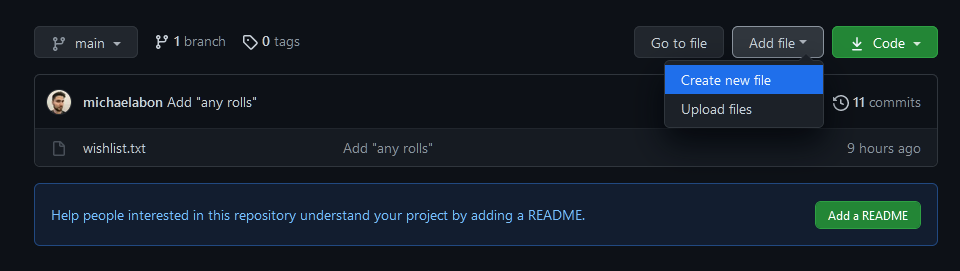
-
Pick a god roll, with zero to many perks in each column.
- I like using Gunsmith for this, since you can see what the perks do to the stat numbers.
-
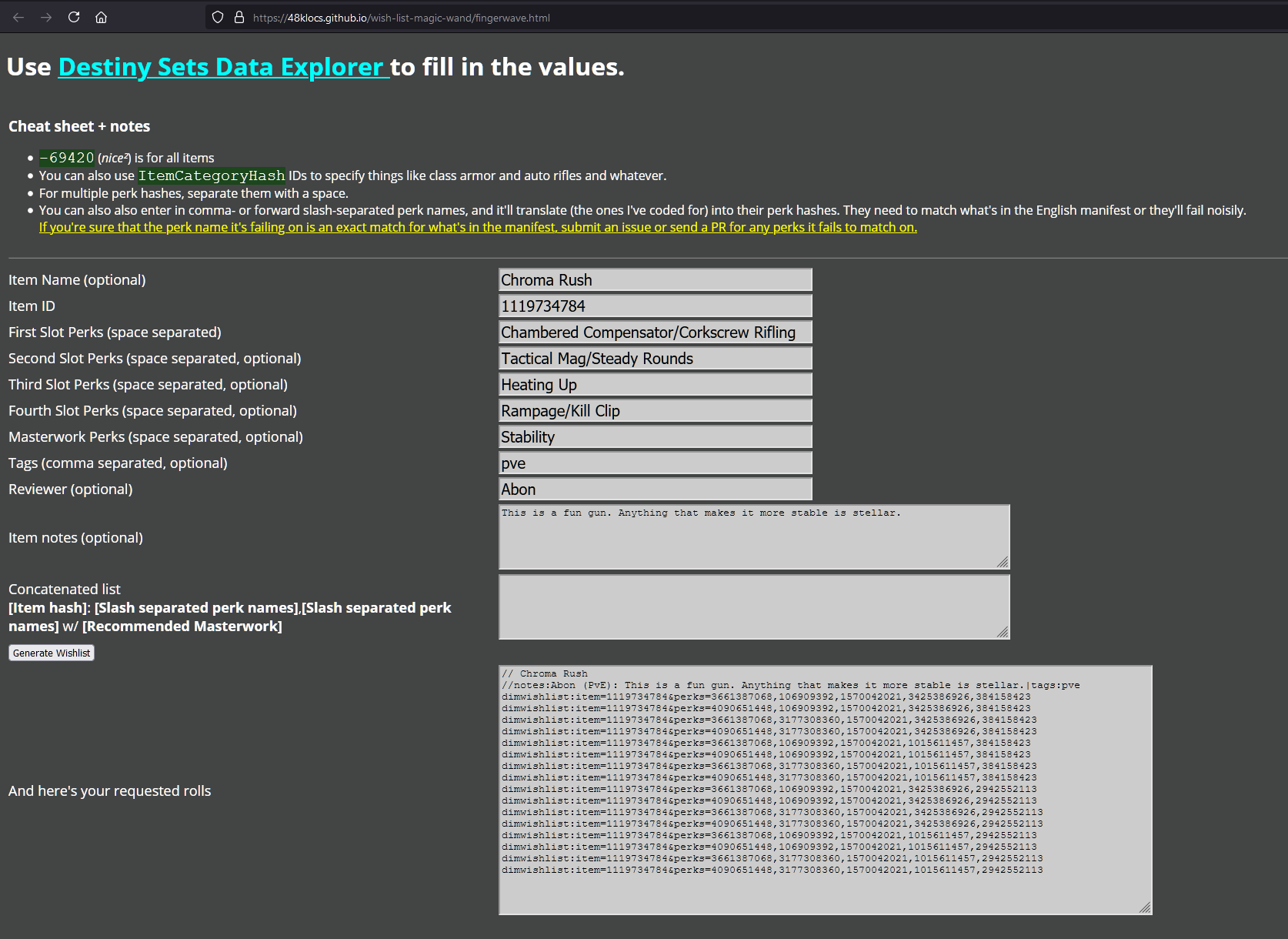
Use 48kloc’s Magic Wand to list all your desired perks.
- It was originally built to use the perk IDs, but just use the names of the perks. It’s much easier.
- If you are happy with multiple in a single column, separate them by commas or slashes.
- Put your name in the Reviewer field. This will let you search for just your wish list in DIM, as opposed to the community-supplied wish list.
-
Copy the list of requested rolls into the new plain text file.
-
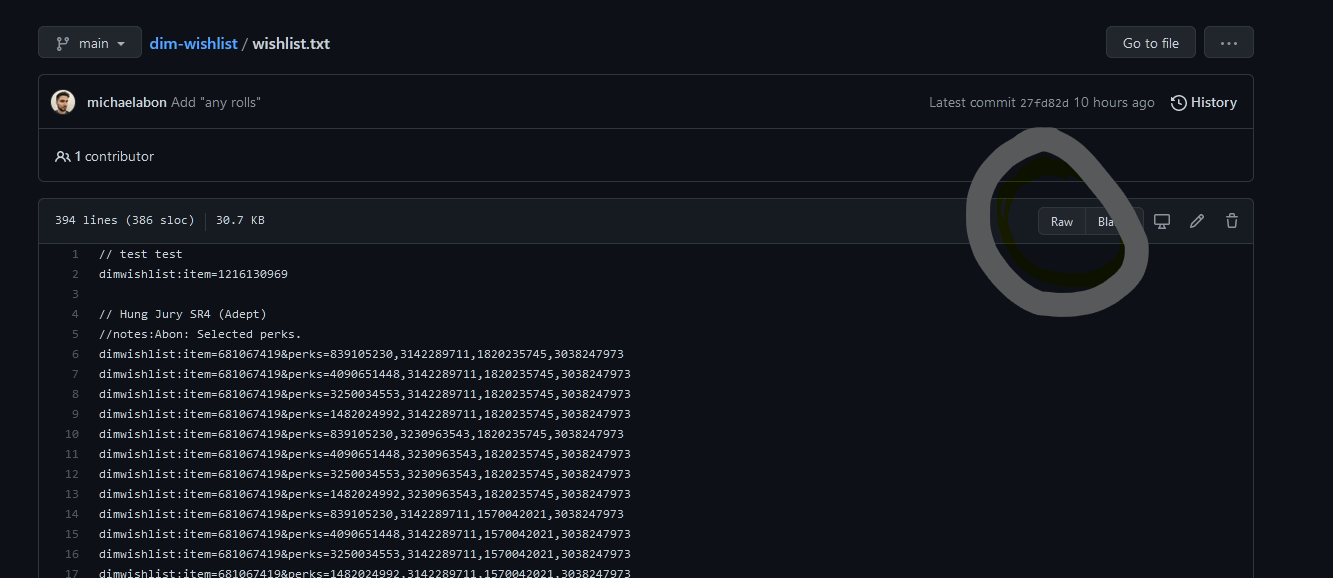
After you save your text file, click on the Raw button.
-
Copy the resulting URL, which should look something like
https://raw.githubusercontent.com/michaelabon/dim-wishlist/main/wishlist.txt. -
In DIM, navigate to Settings > Wish List.
-
In the field labelled Optionally, supply the URL(s) for a wish list, paste in your raw URL.
- If you want to augment the pre-made wish list, then keep the original voltron URL and separate the URLs with a pipe (
|) character.
- If you want to augment the pre-made wish list, then keep the original voltron URL and separate the URLs with a pipe (
-
Click Update Wish List Source.
Enjoying your new wish list
Here are a few searches you can use in DIM:
"Anything that people like" OR is:wishlist
"Anything that *you* like" OR wishlistnotes:<your name goes here>
"Things good in PvE" OR wishlistnotes:pve
"Things good in PvP" OR wishlistnotes:pvp
Bonus Tips
Use multiple blocks
If there are particularly rare guns that you want, such as Seventh Seraph VY-7, then I’d encourage you to have two blocks in your wish list.
The first block contains the specific perk combinations that you want. The second block contains just the gun. You can use the Notes field to separate these two in DIM.
// Borrowed Time
//notes:Abon (PvE): High damage solar SMG, with high recoil. So, I'm aiming for increased stability perks and close-up combat damage-increase perks. Drops only from Gambit!|tags:pve
dimwishlist:item=875848769&perks=1840239774,1885400500,4071163871,4104185692,384158423
dimwishlist:item=875848769&perks=4090651448,1885400500,4071163871,4104185692,384158423
dimwishlist:item=875848769&perks=3661387068,1885400500,4071163871,4104185692,384158423
dimwishlist:item=875848769&perks=1392496348,1885400500,4071163871,4104185692,384158423
//notes:Abon: Any roll. This is rare.
dimwishlist:item=875848769
This works because DIM will start at the top and work its way down, finding the first row that matches the gun you’re inspecting.
It’s okay to leave columns blank
Similar to the previous tip, it’s okay to have multiple sections where you are less picky, as you work your way up to your desired god roll.
For example, if you have your god roll, with one perk chosen in each column, then put that first. But if you’re okay for now with just any drop that includes Frenzy, then it’s okay to have a lower-priority section with just the Frenzy perk.